分级提醒Escalating Reminders
第一次它走到屏幕中间扒屏幕、举牌子;之后每隔几分钟再催一次,还会放出蝴蝶追着闹,直到你站起来。The first reminder is a paw on the screen and a sign. Later ones repeat every few minutes and release a butterfly for the cat to chase, until you actually stand up.
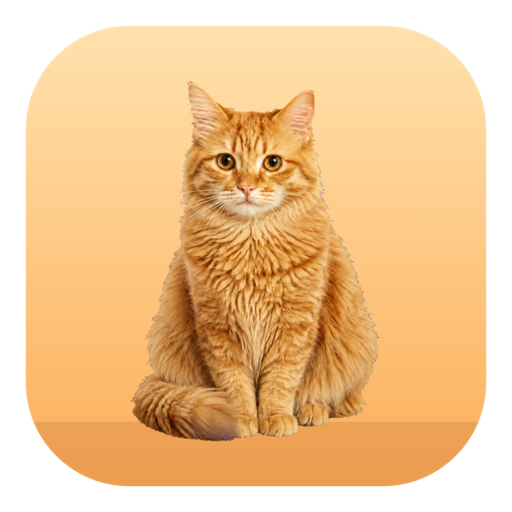
一只住在屏幕角落的橘猫,陪你工作,也盯着你别坐太久。坐够设定的时间,它会走到屏幕中间扒屏幕、举牌子催你起来;你不理它,它就放出蝴蝶在屏幕上追着闹。摄像头画面只在本机内存里分析,不保存、不上传、不联网。 An orange cat that lives in the corner of your screen. It keeps you company and keeps an eye on how long you have been sitting. Once you pass your limit it walks to the middle of the screen, paws at it and holds up a sign. Ignore it and a butterfly appears for it to chase all over your desktop. Camera frames are analyzed in memory on your own Mac and are never saved, uploaded or sent anywhere.
提醒是分级的:先举牌,再闹屏。真正起身休息够了才清零,坐一会儿又回来不算。 Reminders escalate: first a sign, then chaos. The timer only resets after a real break; popping back after a minute does not count.
第一次它走到屏幕中间扒屏幕、举牌子;之后每隔几分钟再催一次,还会放出蝴蝶追着闹,直到你站起来。The first reminder is a paw on the screen and a sign. Later ones repeat every few minutes and release a butterfly for the cat to chase, until you actually stand up.
离开满设定的时间才算一次有效休息,回来它会打招呼并重新计时;不到时间就回来,它会不高兴,计时继续累加。Only an away period long enough counts as a break; the cat greets you and restarts the timer. Come back early and it sulks while the timer keeps running.
可以设定起床和休眠时间。休眠期间猫不出现、摄像头关闭、不计时,到点它自己走进来伸个懒腰开始上班。Set a wake time and a bedtime. While asleep the cat is hidden, the camera is off and nothing is timed; at wake time it walks back in, stretches and starts its shift.
两路信号一起判断,任一说在座就算在座,避免看视频时被误判为离开。 Two signals are combined; either one saying present counts as present, so watching a video is not mistaken for leaving.
摄像头以设备最低帧率运行,每隔几秒只分析一帧,用 Apple 的 Vision 框架判断画面里有没有人。画面只存在于内存中,不写入磁盘,也不发送到任何地方。这项功能可以随时关闭。The camera runs at its lowest frame rate and one frame every few seconds is checked with Apple's Vision framework to see whether a person is present. Frames exist in memory only, are never written to disk and are never sent anywhere. The camera can be turned off at any time.
读取系统提供的输入空闲秒数,不记录你按了什么键、点了什么位置。关闭摄像头后,仅凭这一项也能工作。It reads the system's input idle time. It does not record which keys you press or where you click. With the camera off, this signal alone is enough to run.
锁屏、合盖或系统休眠时自动视为离开,摄像头随之关闭,解锁后恢复。Locking the screen, closing the lid or system sleep all count as away and switch the camera off; it resumes when you unlock.
眨眼、歪头看你的鼠标、伸懒腰、打哈欠、溜达几步。这些小动作都可以在设置里关掉。 It blinks, tilts its head toward your cursor, stretches, yawns and wanders a few steps. Every one of these can be switched off.
点一下猫,它会横穿屏幕冲向你的指针,靠近就扑上去,抓到记一分并且越追越快,一局结束报成绩和历史最高。Click the cat and it sprints across the screen toward your pointer, pouncing when close. Each catch scores a point and speeds it up; at the end of a round it reports your score and personal best.
直接拖动猫可以把它放到屏幕任意位置,松手那里就是它的家。它浮在全屏应用之上,鼠标只有移到它身上才会被接住,其余区域正常穿透。Drag the cat anywhere on screen and that spot becomes its home. It floats above full-screen apps, and the mouse is only captured while directly over the cat.
提醒、打招呼、抓到鼠标、被拎起来各有叫声,睡觉时把鼠标停在它身上会打呼噜。音效可以关掉,音量可调。Reminders, greetings, catching the cursor and being picked up each have their own sound, and hovering over the sleeping cat makes it purr. Sounds can be muted, and the volume is adjustable.
这个 App 不收集任何数据,也不联网。所有设置只保存在你自己的 Mac 上。 This app collects no data and makes no network requests. All settings stay on your own Mac.
画面只在内存里做人体检测,用完即弃,不写入磁盘,不上传,不用于识别你是谁。可以完全关闭。Frames are used in memory for person detection and immediately discarded. Nothing is written to disk or uploaded, and no attempt is made to identify who you are. It can be disabled entirely.
不需要注册,不需要登录,App 不发起任何网络请求,也没有分析或崩溃上报。No registration, no sign-in. The app makes no network requests and contains no analytics or crash reporting.
本政策仅适用于 起来喵 / MeowUp。更新日期:2026年9月10日。This policy applies only to 起来喵 / MeowUp. Updated September 10, 2026.
本 App 不收集、不存储、不传输任何个人信息。具体而言:The app does not collect, store or transmit any personal information. Specifically:
本 App 的核心功能是判断你是否还坐在电脑前,因此会请求摄像头权限。使用方式如下:The app's core function is to tell whether you are still at your desk, so it requests camera access. It is used as follows:
App 通过 macOS 提供的系统接口读取"距离上一次键盘或鼠标操作过去了多少秒"这一个数值,用来判断你是否离开。App 不记录你按了哪些键、点击了什么位置、输入了什么内容,也不需要辅助功能权限。抓鼠标的小游戏会读取鼠标指针在屏幕上的坐标,用于让猫朝指针移动,该坐标不被保存。The app uses a macOS system interface to read a single number: how many seconds have passed since the last keyboard or mouse activity. It does not record which keys you press, where you click or what you type, and it does not require Accessibility permission. The cursor-chasing game reads the pointer's on-screen coordinates so the cat can move toward it; those coordinates are not stored.
App 只在你的 Mac 上保存偏好设置,包括提醒时间、检测灵敏度、桌宠大小和位置、动画和声音开关、作息时段,以及抓鼠标小游戏的历史最高分。这些数据保存在系统标准的应用偏好位置,不离开你的设备。卸载 App 即可删除。The app stores only preferences on your Mac: reminder timings, detection sensitivity, the pet's size and position, animation and sound switches, quiet hours, and your best score in the cursor-chasing game. These are kept in the standard application preferences location and never leave your device. Removing the app deletes them.
在你允许的前提下,App 会在久坐超时时发送一条本地系统通知。通知内容在本机生成,不经过任何服务器,也不使用推送服务。可以在系统设置或 App 内关闭。With your permission the app posts a local system notification when you have been sitting too long. The notification is generated on your Mac, passes through no server and uses no push service. It can be disabled in System Settings or inside the app.
本 App 不收集任何数据,因此也不会收集儿童的个人信息。Because the app collects no data at all, it collects no personal information from children.
如果未来版本增加了会改变数据处理方式的功能,我们会更新本页面并修改顶部的更新日期。If a future version adds a feature that changes how data is handled, we will update this page and revise the date shown at the top.
对隐私有任何疑问,请联系 hituptennis@gmail.com。For any privacy question, contact hituptennis@gmail.com.